Systems
Security management (PSIM)
Every system brought together in one control room.
Fire, intrusion, video and access control often run on separate systems. A physical security information management system (PSIM) brings all alarms together on one interface. We plan, install and support the open integration platform WinGuard by Advancis for this purpose.
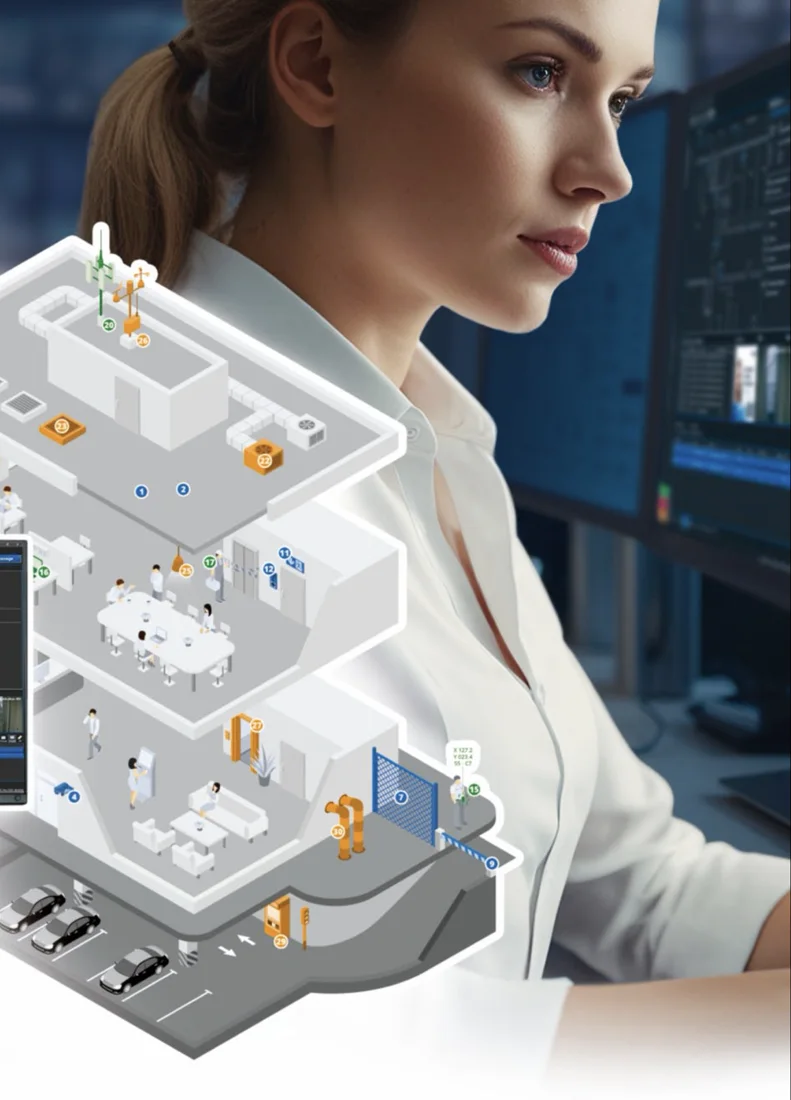
- One interface for all disciplinesFire detection, intrusion detection, video and access control are displayed and controlled centrally.
- Existing systems stay in placeWinGuard comes with interfaces to systems from many manufacturers.
- Guided operationProcedural instructions lead your staff through the required actions step by step when an event occurs.
- WinGuard partner for Central GermanyWe take care of commissioning and training. Our emergency service line can be reached around the clock.
At a glance
- Service
- Security management (PSIM): Every system brought together in one control room.
- For whom
- Operators with several systems or sites and a staffed control room
- Service area
- Saxony-Anhalt, Saxony and Thuringia, with a focus on Halle and Leipzig; across Germany through the Sesenet35 installer network
- Manufacturers
- Advancis
- Support
- Planning, installation and maintenance from a single source; service hotline around the clock
- Enquiries
- +49 34602 4080-20, projektierung@rutte.de
All systems in one control centre
Security management (PSIM) connects the individual systems. Every alarm appears in the same operational picture. For this we use WinGuard by Advancis.
WinGuard by Advancis: the open integration platform
Management and visualisation systems are not simply ordered and installed. The need grows out of the existing installations: when fire detection, intruder detection, video and access control expand side by side and reach a certain complexity, the point comes at which a higher-level platform is needed.
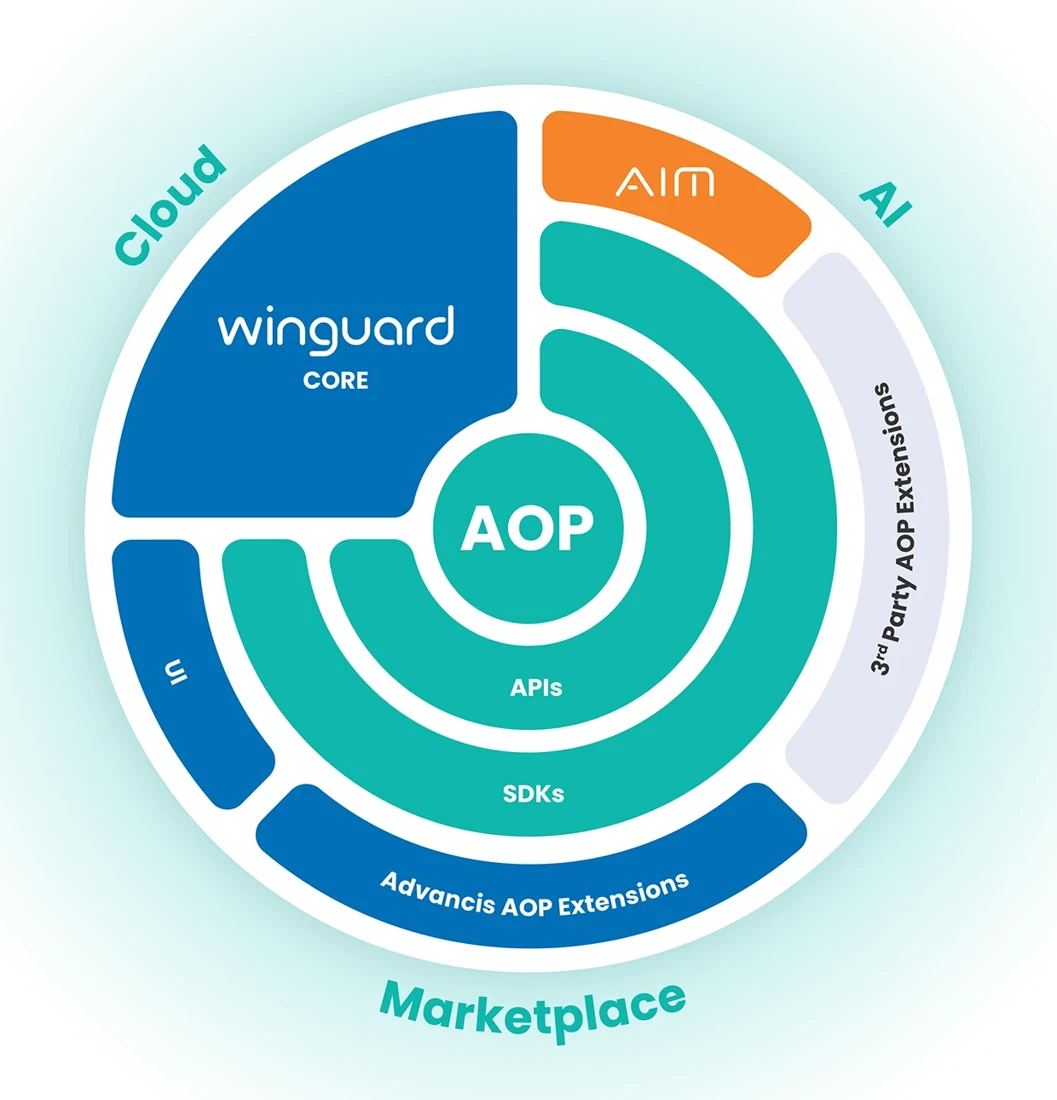
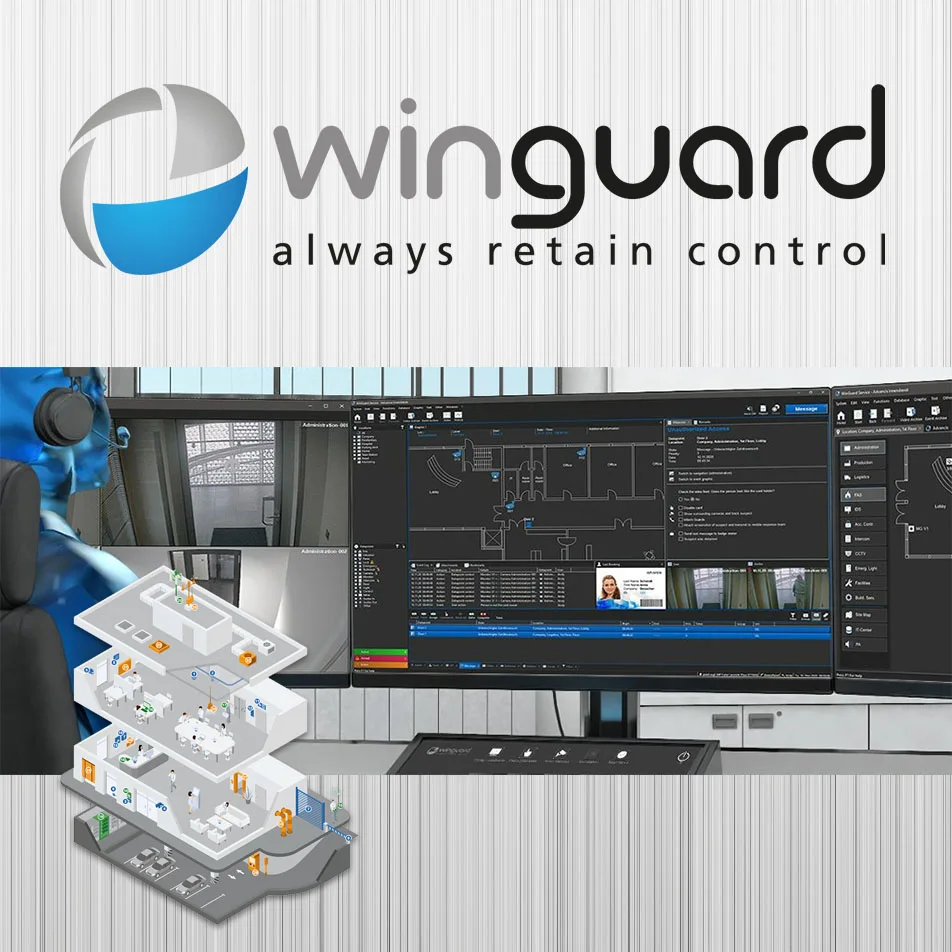
WinGuard is a flexible, software-based platform for security management, developed by Advancis. The vendor-independent software brings video, access control, fire and intrusion together centrally through interfaces and makes them controllable through site plan graphics.
The platform goes beyond security technology. Across disciplines it also integrates building and communication technology as well as the IT infrastructure. Further systems such as command and control or ticketing systems can also be connected.
WinGuard is scalable and can be adapted to the size and security requirements of your organisation.
Our services
- Consultation and project engineering
- Delivery and installation
- Commissioning and training
- Maintenance and a round-the-clock emergency service line
Higher-level security management (PSIM)
WinGuard brings the existing systems together in one interface. We are the WinGuard partner for Central Germany and take care of commissioning, training and support.
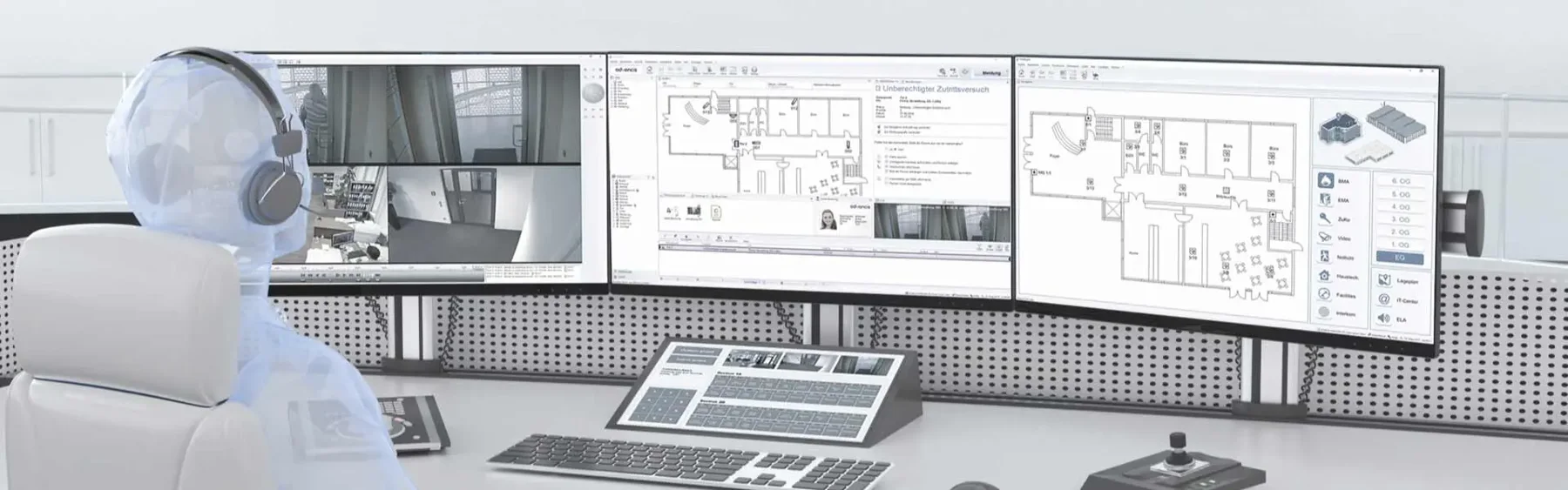
One interface for existing systems
- Integration of existing fire detection systems
- Visualisation and control of access control points
- Connection of intruder alarm systems
- Linking of live video images to events
- Logging and ticket system for measures
Installation of WinGuard
- Embedding of the existing equipment
- Graphical presentation in floor plans
- Setting up of alarm and event messages
- Definition of forwarding and measures
Always available, in the browser too
WinGuard runs on workstations with several monitors, drives video walls and, depending on the configuration, can be used on the move on a tablet or smartphone.
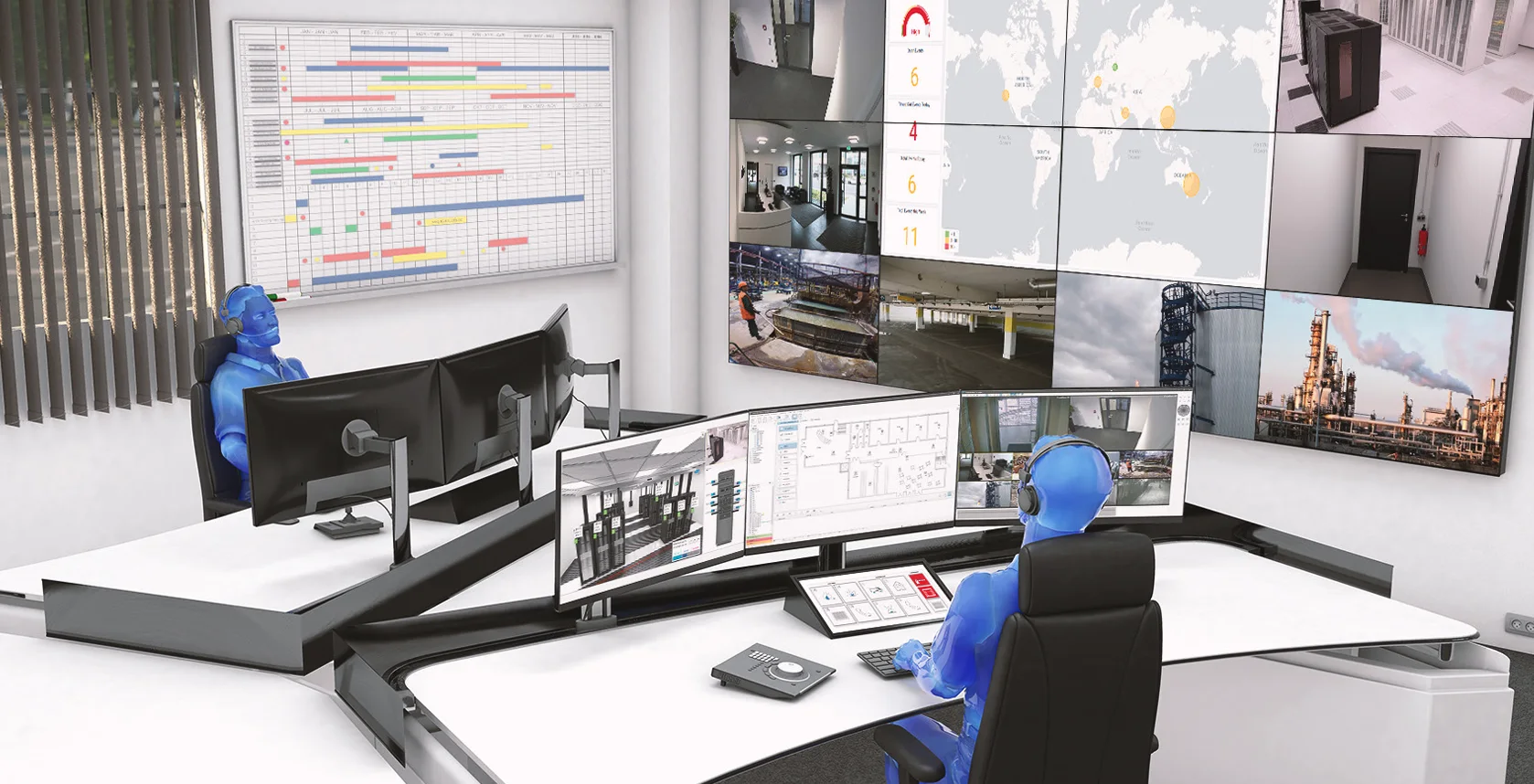
If an interface is missing, the manufacturer can develop new ones. We clarify what is possible for your systems in the initial survey.
Interfaces to the security disciplines
WinGuard integrates systems from many manufacturers. The following lists are an extract of the interfaces according to the manufacturer Advancis; we check in the project which version of your system is supported.
Fire detection66
- Advanced Electronics: MX 4000 / MX 5000
- Autronica: BS 420
- Bemac: Diana Fire Panel
- Bosch: UGM 2005 / 2010 / 2020 / 2040
- Bosch: FPA 5000
- Cerberus Algorex: FC700A
- Cerberus Algorex: CS11 (DMS 7000)
- CEAG (Cooper), DF6000
- Consilium: Consilium Common Platform (CCP)
- Cooper CF1100 / CF 3000 / DF 6000
- Detectomat: detect 3004 und 3016
- Detectomat: DC3500
- Eltek Fire & Safety (Honeywell): FireWin
- ESMI (Schneider Electric): FX 3NET
- Esser (Honeywell): Esser N 3007 / 3008
- Esser (Honeywell): Esser 8000 / 8007 / 8008
- Esser (Honeywell): Esser 8000 / IQ8 / Flex-ES
- GE: FP2000
- Global Security: JunoNET Panel
- Hekatron: Integral via Bx-USI4
- Hekatron: Integral via Bx-NETX
- Hekatron: Integral ab B5-SCUA (via LAN on Board)
- Hekatron: BMZ 340
- Hertek: PENTA Series
- IFAM: FAT
- Kentec Electronics Limited: Taktis MCE
- LITES Liberec: Bedienfelder MHU 116, MHU 117
- Minimax: FMZ 4100 / 5000 (via MX2 Protocol)
- Minimax: Clunid FMZ6000
- Morley: Standard Morley Protocol
- Notifier (Honeywell): AM 2000 / AM 4000 / AM 6000 / AM 8000
- Notifier (Honeywell): ID 2000
- Notifier (Honeywell): NF 3000 / 5000 / ID 3000
- Notifier (Honeywell): Pearl
- NSC: Solution F1
- Panasonic: EBL
- Protec: 6400
- Sauter: AVEO flex
- Schrack Seconet: Integral BMZ
- Schrack Seconet: Integral EvoxX
- Schrack Seconet: Integral IP
- Schrack Seconet: MAXIMA
- Securiton: SecuriFire via B3-USI4-Modul
- Securiton: SecuriFire via B5-LAN-Modul
- Siemens: Cerberus FS720 (FC722, FC724)
- Siemens: Cerberus PRO
- Siemens: SigmaSys D-100 / SM80 / SM88
- Siemens: Sinteso FS20
- Siemens: FS20 (FC2020, FC2040, FC2060) via BACnet
- Siemens: FS20 (FC2020, FC2040, FC2060) via MK8000 (OPC)
- TELENOT: comfire 3000-4 Plus
- TELENOT: hifire 4400
- Total Walther (Tyco): Zettler BMCI
- Total Walther (Tyco): Zettler Fast 2000
- Total Walther (Tyco): Zettler Expert
- Total Walther (Tyco): Zettler Profile
- Total Walther (Tyco): Zettler ZETFAS/LOUT (via FILNET)
- Total Walther (Tyco): Zettler ZETAPLEX-FSK (via AED)
- Total Walther (Tyco): Zettler ZX / MZX
- UNIPOS: FS5200
- Wagner: FPA5000
- Wagner: Titanus Micro Sens
- Wagner: Titanus Pro Sens
- Wagner: Titanus Rack Sens
- Wagner: Titanus Super Sens
- Wagner: Titanus Top Sens
Intruder detection48
- ABI: MC1500
- Alphatronics: UNii
- Aritech: CD Max
- Bosch: NZ 300
- Bosch: UEZ / BZ500
- Bosch: MAP 5000
- Bosch: UGM 2005 / 2010 / 2020
- Effeff: EMZ 561 (heute Novar/Honeywell)
- Effeff: DEZ 9000
- Esser (Honeywell): DEZ 9000
- Esser (Honeywell): EMA 5007 / all system types via SEI
- Europlex: 3GS
- GE: ATS MasterPanel
- Honeywell: Galaxy Dimension (via Microtech)
- Satel: Integra 256 Plus
- Napco Security Technologies: Napco Gemini
- Novar (Honeywell): EMZ 561 (MB16, MB100, MB256, MB256plus) via IGIS-LOOP
- Novar (Honeywell): EMZ 561 (MB16, MB100, MB256, MB256plus) via IGIS-LAN
- Novar (Honeywell): EMZ 561 (MB16, MB100, MB256, MB256plus) via WinMAG (OPC)
- Novar (Honeywell): MB24, MB48, MB100 via module 013211.10
- Novar (Honeywell): MB-Secure via ISOM API
- Nox Systems: Nox
- PACOM Systems: EMCS
- Paradox: Imperial
- Plettac: GSE 63
- Quanergy: Qortex TDTC
- RISCO Group: ProSYS/LightSYS
- Rokonet (RISCO): ProSYS
- Securiton: SecuriPro
- Siemens: FlexC
- Siemens: Guarto
- Siemens: Sintony Si400 / Si420
- Siemens: Transliner Cerberus IK 500 / IC 1000
- Siemens: Security detection system SM88
- Siemens: SPC
- Sonax: Varus
- Sonax: Z 3000
- Tecnoalarm: intrusion panels TP8-64 BUS; TP16-256; TP8-88(Plus); TP20-440; TP16-512; TP8-96 VIDEO
- Tecnoalarm: TecnoOut via TCP/IP
- TELENOT: complex 400H
- TELENOT: Hiplex 8400H
- Texecom: Texecom connect
- Total Walther (Tyco): ZETADRESS 300
- Total Walther (Tyco): ZETADRESS 1000/2000
- Total Walther (Tyco): ZETADRESS 5000
- UTC FS: ATS1000A / ATSx500A
- UTC FS: ATS MasterPanel
- Vanderbilt: SPC (43xx,53xx,63xx) via FlexC
Perimeter and open areas21
- CIAS ELETTRONICA: IB-SYSTEM IP
- Elbit Systems: MIVNIT
- ELFAR: ELFAR Smart Fence Driver
- Feldhaus-Uhlenbrock: AL-5
- Fiber SenSys: Apu3xxSeries und Apu5xxSeries
- Future Fibre Technologies: CAMS 3
- Harper Chalice Group: SecureBus
- Haverkamp: MicroGARD
- Moduteq: Wi-i Bridge
- Senstar
- Sick: Laser sensor (via SOPAS OPC Server)
- Sicurit: HyperPower SMS (kompatibel mit Sicurit PIDS)
- Smart Microwaves
- Sorhea: G-FENCE, KAPIRIS III, MAXIRIS III, SOLARIS, APIRIS
- Southwest Microwave: Intrepid MicroPoint II
- Southwest Microwave: MicroTrack II
- Southwest Microwave: MicroWave 330
- Southwest Microwave: INTREPID Series II
- Sysco: Sense Control
- Sysco: Sona5 / Sona IP
- Titze: PIDS
Video systems131
- AirRobot: Unmanned Aerial System
- American Dynamics: AKS Matrix Switching Systems (MSS)
- American Dynamics (Tyco): HybridDVR
- American Dynamics (Tyco): Intellex DVR
- American Dynamics (Tyco): VideoEdge
- Artec Technologies: Multieye (Multieye SDK)
- Aventura: Video Management Systems
- AverMedia: AverDigi DVR
- Avigilon: Avigilon HD CCTV System
- Axis: Axis Camera Station
- Axis: Network Cameras (VAPIX Version 2)
- Axxonsoft: Intellect
- Bosch: Network Cameras (via BoschVideoSDK Version 5 / 6)
- Bosch: Dinion IP
- Bosch: DiBos 8.4
- Bosch: Divar 2
- Bosch: Divar XF
- Bosch: FlexiDome IP
- Bosch: MIC Serie Domkamera
- Bosch: VideoJet 10 / 100 / 8000 / 8008
- Bosch: VideoJet X10 / X20 / X40
- Bosch: VIP 10 / 1000
- Bosch: VIP-X
- Bosch: Video Recording Manager (VRM)
- Bosch: VIDOS Lite Monitor Wall
- Bosch: VIDOS-NVR 4.00
- Bosch: Bosch Video Management System (BVMS)
- Bosch (Philips): LTC8x00 video matrix
- Candid: SekurZone (License Plate Recognition)
- Cathexis: Cathexis DVR
- Condev: Condev VKS
- Convision: Convision Camera server
- Dahua: Dahua Digital Video Systems
- Dallmeier: Panomera
- Dallmeier: DallmeierAPI
- Dallmeier: PView
- Dallmeier: PView2
- Dallmeier: DIS 2
- Dallmeier: Leo
- Dallmeier: SMAVIA
- Dedicated Micros: Video remote transmission DVST
- DEKOM: DiViCro
- DIAS: PyrosoftDAQ
- Digifort: Digifort IP Video Management System
- Digivod: Digivod VMS
- Eagle Eye Networks: Eagle Eye Networks Cloud
- Ernitec: System 500M / 1000M
- EverFocus: EDR 410 / 810 / 920 / 1620 / 1640 DVR
- exacq Technologies: exacqVision Core
- FLIR: LatitudeVMS
- Genetec: Security Center
- Geovision: Geovision Active-X Version 6.0 & 7.100
- Geutebrück: G-Core
- Geutebrück: GeViSoft
- Geutebrück: GeViScope
- Geutebrück: Video matrix (GST)
- Geutebrück: Multiscope II
- Geutebrück: Reporter
- Geutebrück: Video control system Mbeg
- Griffid: Digital Video Surveillance System
- Hanwha: Wisenet
- HeiTel / Xtralis: HeiTel Server
- Hikvision: HikCentral
- Hikvision: HikCentral Professional (HCP)
- Hikvision: Net Video Recorder DS-7716NI-I4/16P
- HiTRON Systems: HiTRON NVR
- Honeywell: MAX 1000 VKS
- Huawei: Intelligent Video Storage
- IndigoVision: IndigoVisionSDK
- IndigoVision: NVR
- Kodicom: CCTV Cameras
- Leica Geosystems AG: BLK247
- Linke: SYSn 96 KP VKS
- March Networks: 6700, 8000 and Command
- March Networks: 4000 C Series Hybrid NVRs
- March Networks: ESM
- Milestone: XProtect 2020 R3 (Express/+, Professional/+, Expert und Corporate) via MIPSDK
- Milestone: XProtect
- Mirasys: Video Management
- Mobotix: Hub
- Mobotix: Network Cameras
- MorpheanVMS: Morphean Cloud Video Management System
- Netavis: Observer II
- Network Optix: NxWitness
- NICE: Alpha System digital video
- Odetics: DVMD32
- Panasonic: NVR ND200 / ND300 / ND300A / ND400
- Panasonic: DVR HD309 / HD316A / HD350 / HD616 / HD716
- Panasonic: Network cameras and converter (PS-API)
- Panasonic: InsightAPI
- Pelco: Endura
- Pelco: VideoXpert
- PKE: Avasys Video
- Qognify (Seetec): Cayuga (Version 6)
- Qognify (Seetec): Seetec Version 5
- Schille: SiVMS
- Securiton: IPS Video Manager
- Senstar: Symphony
- SightLogix: SightSensor HD / NS / TC
- Siemens Siveillance™ Video
- Siemens: SiNVR
- Siemens: Simatrix
- Siemens: Sistore AX / MX / CX / SX
- Siemens: Siemens VKS
- Simplex: Simplex Multiplexer VKS
- Sony: NVR (Network Surveillance Server)
- Sony: RZ30N
- Sony: RZ30P
- TEB: Digipryn
- Thales: Thales Video Solution VMS
- Tyco: AKS Matrix Switching Systems (MSS)
- Tyco: ExacqVision VMS (via ADSDK)
- Tyco: ExacqVision VMS (via evAPI-SDK)
- Tyco: HybridDVR
- Tyco: Intellex DVR
- Tyco: VideoEdge
- Uniview: NVR516 Series
- UTC: TruVision
- Vanderbilt: Eventys Range NVR DVR
- Vanderbilt: NVR DS-7200 / 7600
- VDG: Diva / Sense
- Verint: EdgeVR
- Vicon: VDR 704 / 708 / 716
- Videv: Video crossbar Euroline
- Videv: Euromax 250 / 500 / 2000
- Vigilant: NetView II
- VisiOprime: FX / FXL / PXL
- VSCS: Video Security Control System
- XTralis: HeiTel Server
- XTralis/Honeywell: AdPro Fast Trace II
- XTralis: Foxnet
Access control62
- AHB Systeme GmbH: AHB Zutrittskontrolle
- A Plus S.r.l: AxWin6
- Amag: Symmetry
- Assa Abloy: ARX
- Assa Abloy: Seawing
- Autec: UBI (via UBI2- / UBI3-Protokoll)
- Avigilon: Avigilon Unity Access
- Bosch: AMCAC
- Bosch: Miditec
- CEM Systems: AC2000
- Continental Access: CardAccess 3000
- Dinec International: DBM6000
- Dorma: Matrix
- EAL: AtsLink
- effeff (Honeywell): Multiaccess
- ENGIE Fabricom: I-CARDS
- EVVA: ATS
- Gantner: GAT ACE 3000 / 7000
- Gantner: Gantner ZKS
- Gantner: GTS6200
- Gantner: LAS
- GE: FacilityCommander (FCWnx)
- Genetec: GenetecSecurity
- Hirsch/Identiv: Velocity
- Honeywell: IQMultiAccess
- Honeywell: Pro-Watch
- IDtech: Unipass
- Inner Range: Integriti
- Interautomation: CASA
- Interflex: 6010
- Interflex: 6020
- Interflex: 6040
- ISONAS
- Johnson Controls: Cardkey Pegasys / Pegasys 2000
- KABA: EXOS 9300 / B-COMM / B-COMM Java
- Ksenia Security: Lares
- Keyprocessor: iProtect
- Keyscan: System 7 / Vantage
- Lenel: OnGuard
- Matrix: Cosec
- Miditec (OPC UA)
- Nedap: AEOS
- Pascom: Pascom
- PACOM Systems: EMCS
- Paxton: Net2
- PCS: DEXICON
- Primion: ZK
- RCO: R-CARD M5
- Roger: RACS
- SDS
- SALTO
- Siemens: SiPass / SiPort / SPC
- Softcon: CR355
- Software House (Tyco): C∙CURE 800 / 8000
- Software House (Tyco): C∙CURE 9000
- Spica: DoorCloud
- Stanley: PAC
- Syntegro: Synguard
- TDS: CoreAccess
- TripleEye: TiSM
- Xtralis: S2000
- Xtralis: VSK / FOXnet
Features of the platform
What does an open integration platform such as WinGuard do? It collects the events from the connected systems, presents them so that the operator can assess the situation, and relieves the operator with procedural instructions and actions that run automatically in the background.
Open platform
- Vendor-neutral software with an open architecture
- Visualisation and control of a building's entire technical infrastructure
- Simpler workflows in the control room
Reports and analysis
- Logging of all messages and user inputs
- Reports and analyses of key figures for the connected systems and the control room
- Export to common formats or provision in real time
Security and stability
- Location and redundancy concept for complex system architectures and fallback scenarios
- Hot standby for system availability
- Distributed data storage for sites with low bandwidth
- Encrypted network connections
Guided operation
- Customisable user interface
- Site plans and camera images to suit the situation
- Guided procedural instructions for handling messages
Free scalability
- From a single-user system to internationally networked control rooms
- Expansion with additional servers and operator workstations
- Expansion with function modules and interfaces
Extensibility
- Solutions for different sectors
- Connection of ticketing and command and control systems
- Analysis tools, for example for key figures and health monitoring
What a hazard management system is for
When fire detection, intrusion detection, video and access control systems grow side by side, monitoring them takes more and more effort. Each system has its own operation, and when an event occurs, information has to be gathered from several systems.
An open integration platform connects these systems and controls them from a single user interface. Such solutions are also known as control centre software, hazard management systems or PSIM.
WinGuard collects the events from all connected systems, displays them on site plans and supports staff with procedural instructions and actions that run automatically.
What RUTTE does for you
As the WinGuard partner for Central Germany, we support your project from consulting and project planning through delivery and installation to maintenance. Commissioning, training of your staff and a round-the-clock emergency service line are part of this.
Before you invest, we carry out a survey to clarify which of your systems can be connected. Older systems can often be integrated via standard protocols or coupling modules.
How it works
- Integrate the technologyWe integrate the existing hardware of your security systems into WinGuard.
- Prepare the floor plansYour property is displayed graphically in floor plans.
- Set up the messagesWe set up the alarm and event messages.
- Define the actionsTogether with you, we define forwarding rules and actions.
Manufacturers and systems
- Advancis
Frequently asked questions
When is a PSIM system worthwhile?
As soon as several security disciplines such as fire, intrusion, video and access control, or several sites, are to be monitored centrally. This applies to medium-sized companies, hospitals and local authorities just as much as to large corporations.
What do the costs consist of?
Licences based on workstations and connected disciplines, the integration of the interfaces and the creation of the procedural instructions. We calculate the costs after a survey of your systems.
Can existing systems from other manufacturers be connected?
In many cases, yes. WinGuard comes with interfaces to fire detection, intrusion detection, video, access control and building technology from many manufacturers. We clarify what is possible in your case during the survey.
Do operations continue during the introduction?
Yes. The introduction takes place in stages, one discipline at a time. The existing systems continue to run unchanged and are connected one after the other. Depending on the scope, this takes a few weeks to months.
Do we need our own control centre?
Not necessarily. The system can be operated at reception or at the site security workstation. Alternatively, it can be connected to an external control centre. We take care of training and support.
More topics
 Cyber security for security systemsProtecting installed systems in line with NIS2 and ISO 27001.Learn more
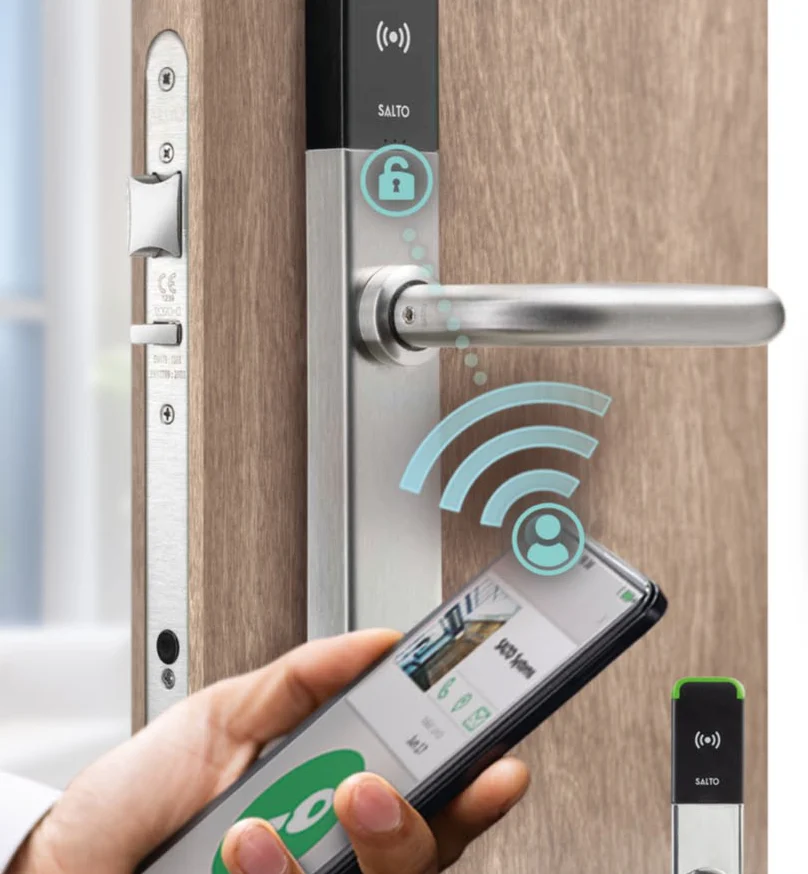 BSI-compliant access controlAccess control for critical infrastructure to BSI requirements.Learn more
 Mobile video surveillanceVideo towers for construction sites, events and temporary areas.Learn more